

d.Code Flow · the mobile application platform
The low‑code platform behind every d.Code product.
Draw a field process on a canvas, preview it on any device, ask the AI copilot for changes, ship it to rugged handhelds that post to SAP. Our five products are built this way. Yours can be too.
- Visual flow designer
- AI copilot
- Offline-first sync
- Standard SAP BAPIs
Why a platform
Operations do not fail on the big processes. They fail on the hundred small ones.
The clipboard handover. The reading nobody keys in until Friday. The count that takes three people and a weekend. Too specific for a packaged app, too small for a custom project - so they stay on paper. d.Code Flow is how we close that gap, with the same platform we build our own products on.
Design
Draw the process. The platform runs it.
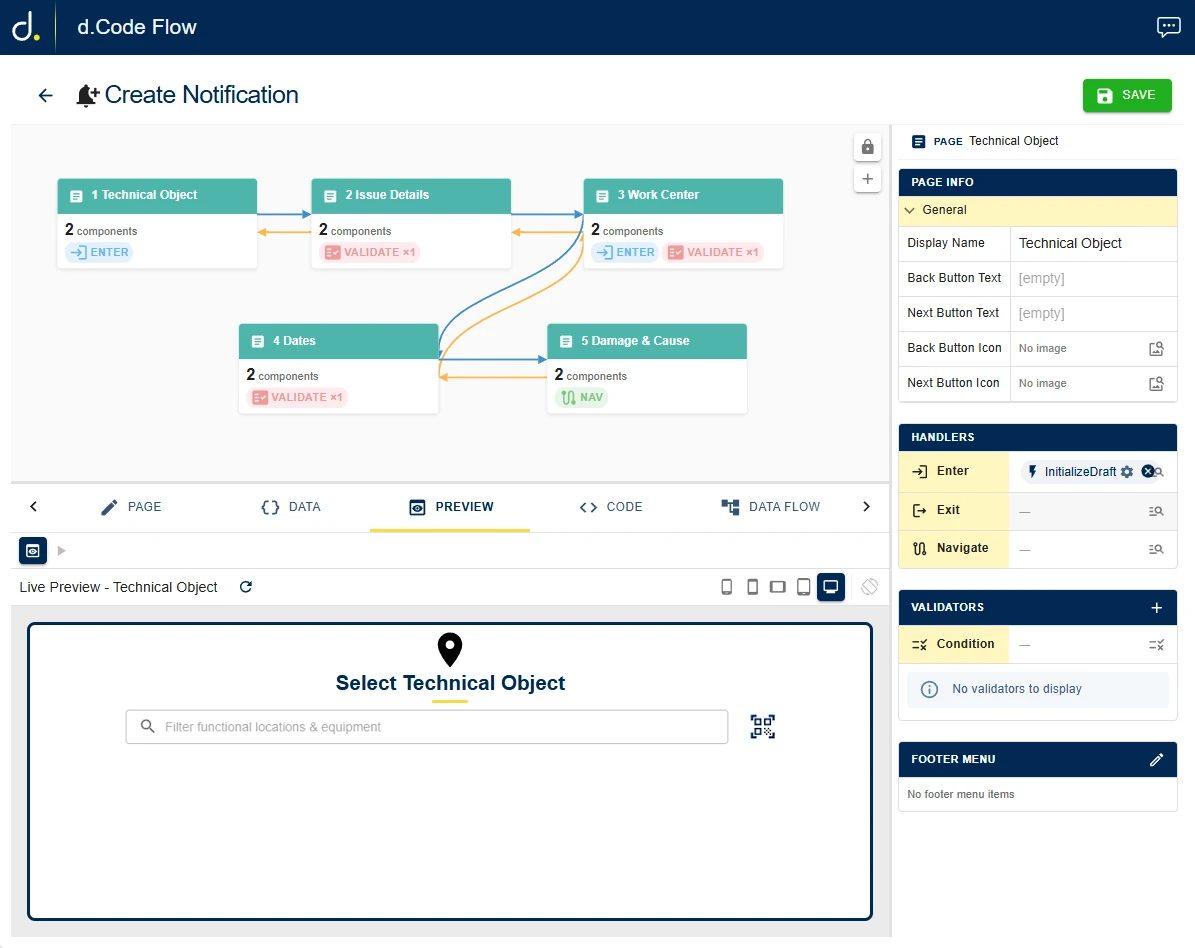
A flow is a sequence of screens. Drop them on the canvas, connect them, and decide what must be true before a user can move on.
- Seven screens take a technician from the equipment to a submitted notification
- Versioned per site: publish, test, roll back
Create Notification · 7 pages · SIM · Pump Station Alpha
Compose
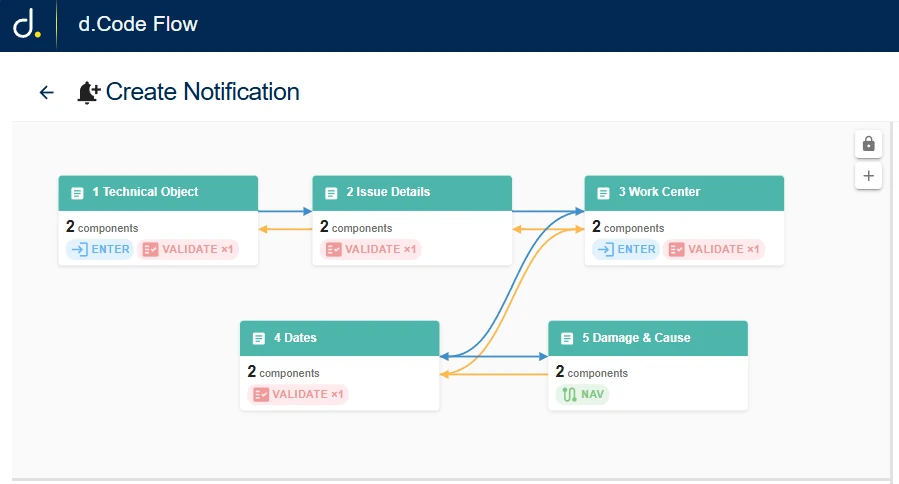
Pages are built from components, not code.
Every screen is assembled from a library of ready-made parts: scanners, lists, pickers, dialogs. Drag one in, set a few properties, done.
- One library shared by every product, so everything looks and behaves the same
- Product-specific parts, like the technical-object picker, come with the product
Preview
See it run before anyone installs anything.
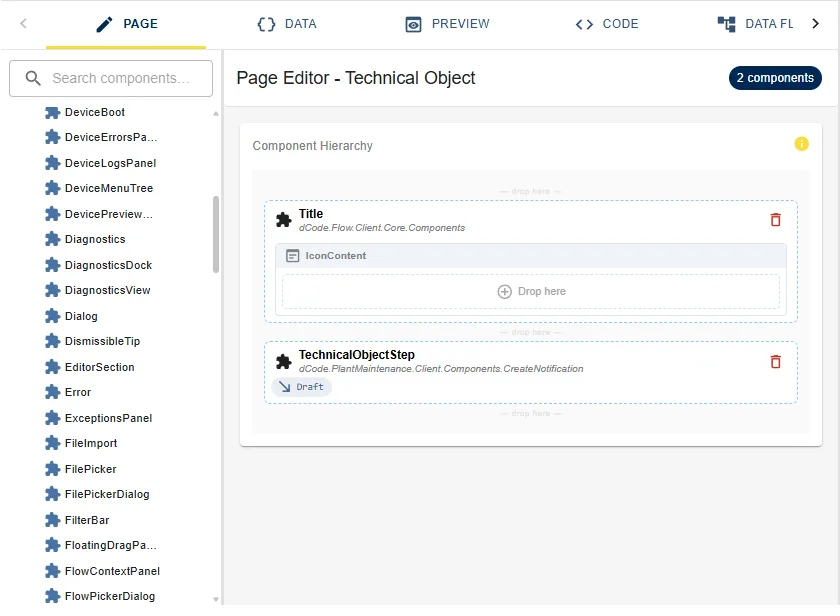
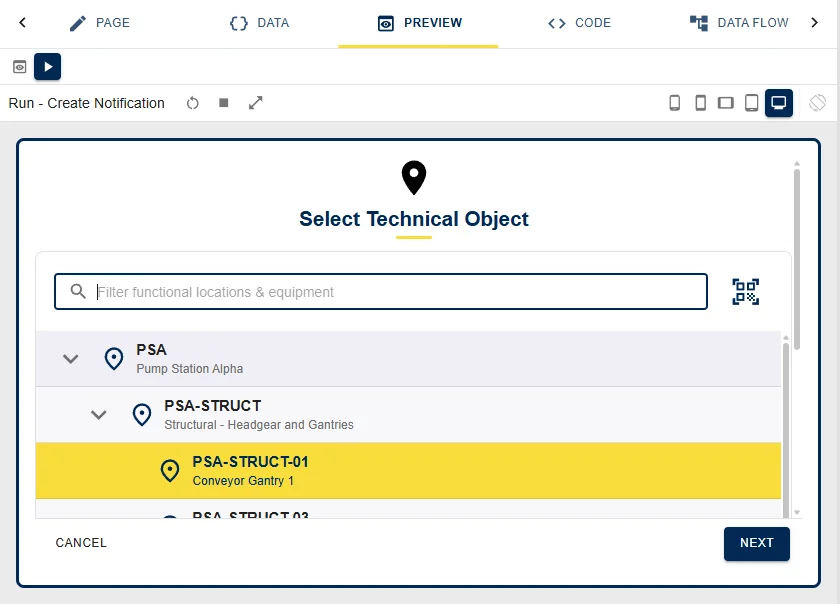
The preview tab runs the flow live inside the designer against a simulated plant with realistic SAP data. Switch between phone, tablet and desktop with one click.
- Runs against the simulator - your production SAP is never touched
- What you see is exactly what the field device will show
Run · Create Notification · desktop frame
AI copilot
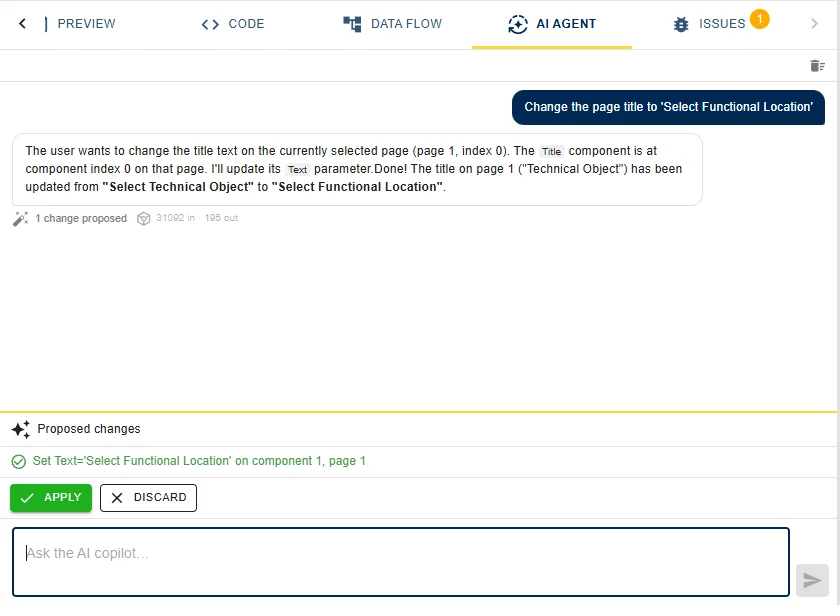
Say what should change. Approve what it proposes.
Ask for a change in plain language. The copilot reads the flow you are editing and proposes the exact edit, which you apply or discard. Nothing changes until you say so.
- “Change the page title to Select Functional Location” - one proposal, one click
- It also explains a flow, finds issues and drafts new screens
Ship
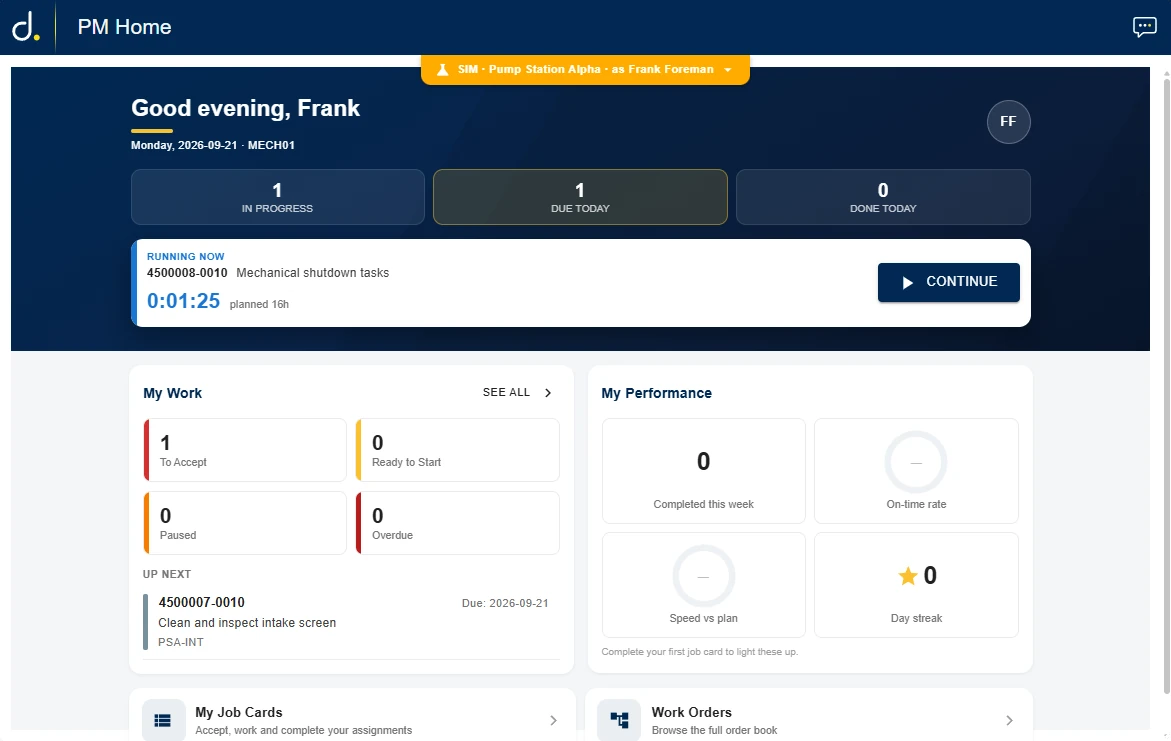
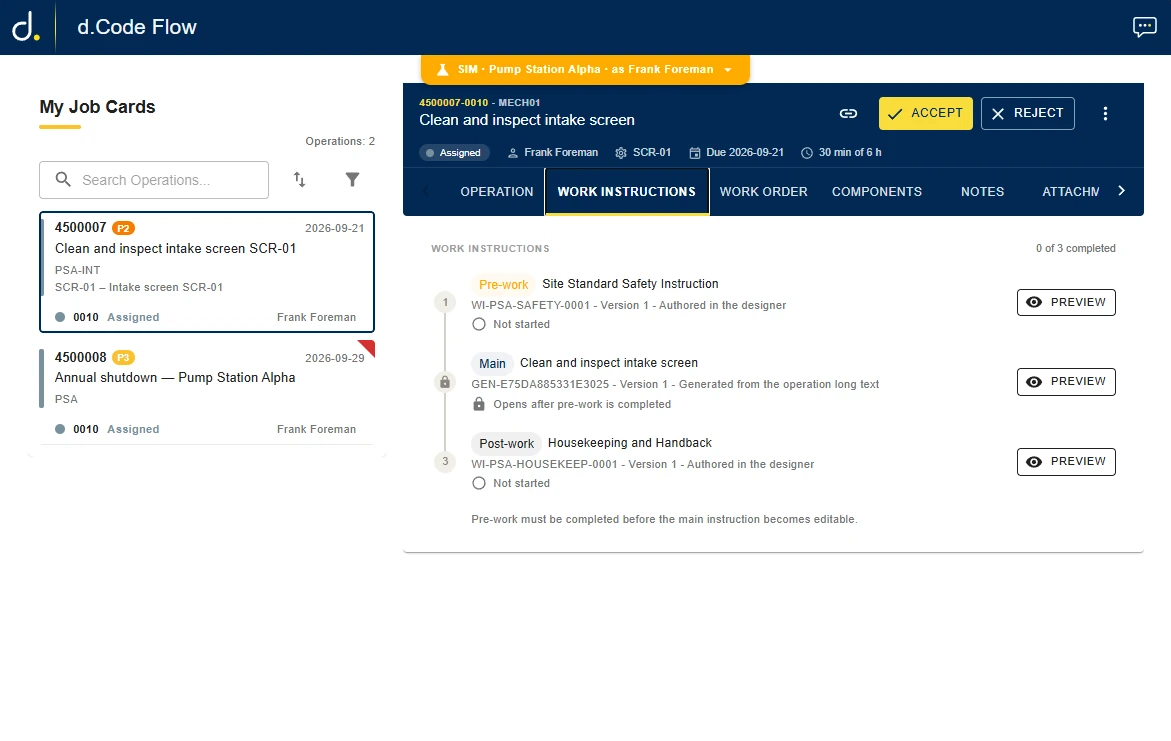
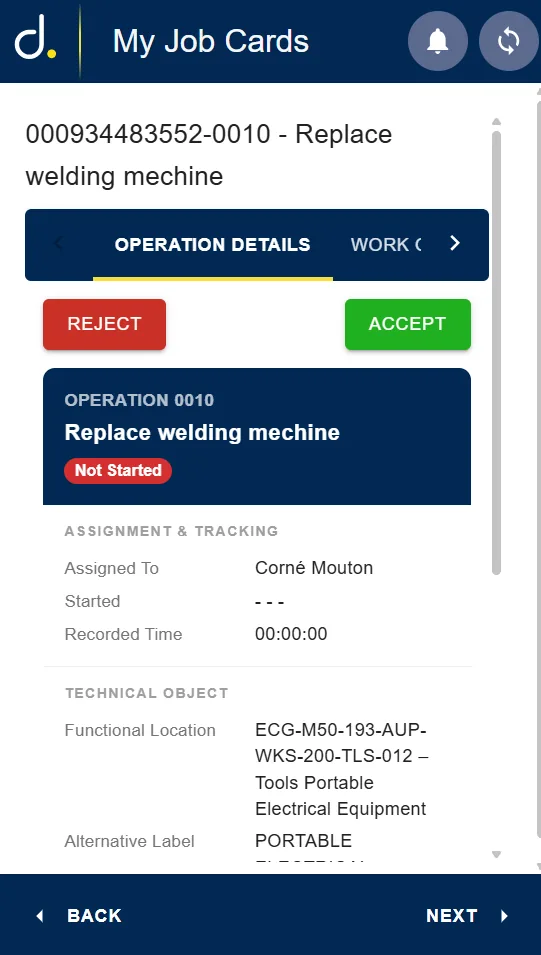
One flow. Every device your teams already carry.
The same flow runs in the browser and as a native app on Android, iOS and Windows, rugged handhelds included. Updates arrive on the next sync.
- Camera & QR
- Hardware scanners
- UHF RFID & NFC
- Fixed reader portals
- RTLS for yards
Built for dead zones
Offline is the default state, not the failure state.
Underground or at the far end of a yard, the network is a rumour. The platform keeps a local copy of what each user may see, captures every transaction offline, and syncs both ways the moment a connection returns.
MAT-100-44821
Item scannedWO-4471829
Time confirmationPO 4500091237
Goods receiptDiagram: a device with three queued transactions syncs through Sync and Server to SAP. "No signal" pauses and queues; "Signal back" drains and posts them.
ERP layer
SAP stays the system of record. The platform makes it reachable.
Flows talk to SAP through standard BAPIs and RFC, so nothing is modified in your ERP and compatibility holds from ECC 6 to S/4HANA. Movements, confirmations and readings post in real time when connected, and from the queue when not.
- SAP IM / WM / EWM (receipt, transfers, picking, counts)
- SAP PM (work orders, notifications, confirmations)
- Standard BAPIs and RFC; no custom ABAP
- ECC 6 through S/4HANA
Run it properly
Built to be operated, not just demonstrated.
Roles and permissions
Down to the transaction: who may post what, and where.
Per-site configuration
One platform, many operations, each its own way.
Audit trail
What was captured, by whom, and what SAP said back.
Zero-touch updates
Products and flows ship to every device through the platform.
How a project runs
-
1
Consult
Discovery to map where mobility helps most.
-
2
Fit for purpose
Configured to your platform, your floor.
-
3
Deploy & train
Installed and trained so adoption sticks.
-
4
Support
Keeps pace as your business grows.
For your IT team
Built for dependable operations.
No new interface to secure, no custom ABAP - a stack your team already knows.
Runtime
.NET, Blazor (web), .NET MAUI (Android, iOS, Windows)
Data
PostgreSQL server-side; SQLite on device
Sync
Offline-first, scoped per user and site, ordered uploads
ERP
SAP RFC/BAPI (ECC 6 - S/4HANA); adapter layer for other ERPs
Deployment
Self-hosted or hosted by us; standard app-store distribution to devices
Security
Role and claim based; per-transaction authorisation; device identity
Extensibility
Plugin architecture: products and customer flows load side by side
Let's talk mobility
See a flow built for your process, live.
Bring one paper form or one painful SAP transaction to the call. We will show you how it becomes a flow.
Trusted by Anglo American, Exxaro, Sasol and Sibanye-Stillwater, among others